
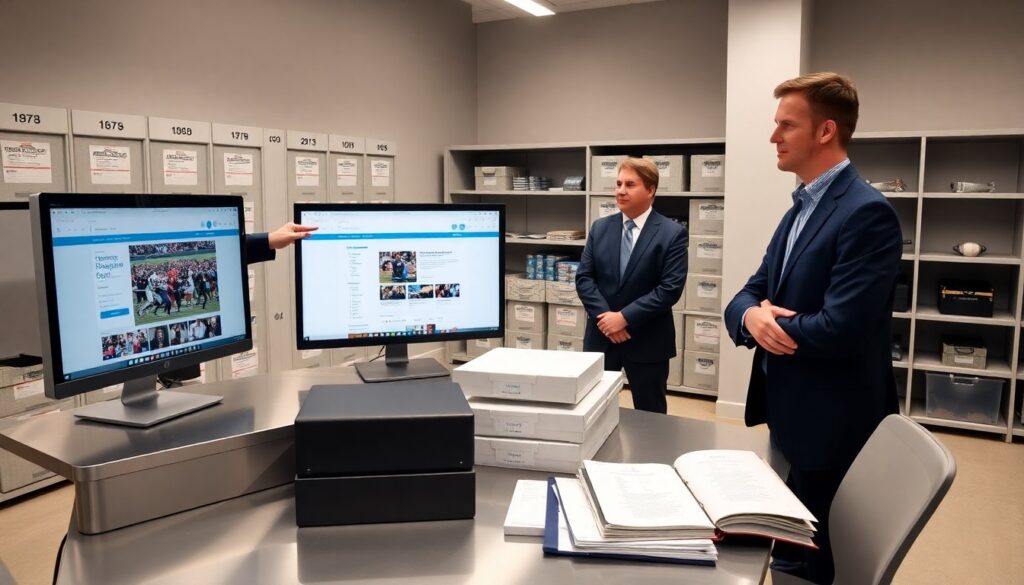
GatorGross Sports Archives provide a large store of games, highlights, and team history. The archive contains video, audio, photos, and documents. Fans can search by team, year, player, or event. The guide shows how to find material, how to use it for research or storytelling, and what legal steps apply. It keeps instructions clear and direct for quick action.
Key Takeaways
- GatorGross Sports Archives offer extensive access to game footage, highlights, interviews, and documents searchable by team, player, year, or event.
- The archive supports both basic and advanced search functions with filters, previews, and options for downloading or requesting high-resolution media.
- Users can utilize the GatorGross Sports Archives for research, storytelling, and educational projects, gaining authentic materials like rosters, box scores, and rare footage.
- Legal use requires attention to rights holders and licensing types; users must obtain permissions or rely on fair use with caution and possibly legal consultation.
- The archive offers digitization and restoration services for fragile or low-quality footage, enhancing usability for various projects.
- User accounts enable saved searches, watchlists, and tracking of request statuses, streamlining access and media management.
What Lives In The GatorGross Archives: Collections, Formats, And Notable Highlights
The GatorGross Sports Archives hold game footage, highlight reels, player interviews, press kits, and scanned programs. The archive stores material in multiple formats. It holds broadcast tape transfers, MP4 clips, high-resolution photos, PDF scans, and audio files. Curators tag items by team, season, player, opponent, and event. They attach basic metadata such as date, venue, and source.
The archive preserves notable highlights and rare items. It keeps championship game recordings, famous plays, and overtime finishes. It stores pregame interviews and behind-the-scenes footage. It also keeps discarded promotional material and limited-run programs. Fans find material from college and minor pro teams as well as regional leagues. Researchers find statistical sheets and rosters next to video clips.
GatorGross staff organize material by collection and by format. They create themed collections like “Rivalry Games,” “Playoff Runs,” and “Rising Stars.” They maintain special folders for restored footage and for digitization-in-progress. The archive displays featured items on a landing page. Staff change the featured items weekly to highlight anniversaries or recent acquisitions.
Users expect variable quality when they search. Older footage may show tape damage or low resolution. The archive lists condition notes and available formats. When a fan needs a cleaner master, the archive offers digitization and restoration options for a fee. That service helps preserve fragile tapes and makes them usable for projects.
How To Search, Navigate, And Access Media — Step‑By‑Step Tips
A clear search plan saves time. First, the user opens the GatorGross search page. Second, the user types a team name, player name, or year in the search bar. Third, the user applies filters such as media type, date range, and location. The search returns matching items sorted by relevance or date.
The archive supports basic and advanced search modes. In basic mode, the user enters short keywords. In advanced mode, the user combines fields such as player AND year. The archive supports exact-phrase queries and boolean operators. The site also offers a browse view organized by team and by decade.
When the user finds an item, the site shows a preview and metadata. The preview may play a short clip or display a photo. The metadata lists source, rights holder, duration, and available formats. If the user needs the file, they click a download or request button. Public-domain clips often download instantly. Restricted clips require a request form and approval.
The archive offers user accounts for saved searches and watchlists. The user can save an item, tag it for later, or request a high-resolution master. The site sends status updates by email. For large or commercial requests, the user follows a clear pricing and rights workflow. The workflow lists fees, delivery methods, and crediting requirements.
How To Use Archive Material: Research, Storytelling, And Legal Considerations
Researchers find primary sources in the GatorGross Sports Archives. They download game footage to confirm play sequences and to verify quotes. They pull rosters and box scores to check statistics. The archive helps film students spot editing techniques and beat writers find contemporaneous interviews.
Storytellers reuse archive clips to craft timelines, highlight reels, and player profiles. Editors build short sequences that show crucial plays and key reactions. Podcasters extract audio interviews for episode segments. Photographers mine the archive for historic images that illustrate a longform piece. The archive supplies context for any narrative by linking clips to dates and opponent information.
Users must consider rights before they publish or monetize archive material. The archive lists the rights holder for each item. If the archive owns the rights, it issues licenses. If a third party owns the rights, the user must contact that holder for permission. The site outlines typical license types: noncommercial, educational, broadcast, and commercial. Each license lists allowed uses and required credits.
Fair use can apply to short clips used for commentary or criticism. The user should evaluate purpose, amount used, and market effect before relying on fair use. The archive staff can help assess a fair-use claim but they do not provide legal advice. For complex uses, the user should seek a lawyer. The archive also documents clearance fees, delivery timelines, and any required on-screen credits to keep projects compliant.